
Quick Start
Get your first Worker running in just 5 minutes — no code required. The whole flow lives in your browser: pick a Worker from the Store → fill in the inputs → hit Start → export the results.
Prerequisites
Section titled “Prerequisites”- A CoreClaw account (Sign up free)
- Sufficient account balance (check your wallet)
- The target website URL or parameters you want to scrape
Step-by-Step Guide
Section titled “Step-by-Step Guide”1. Enter the Worker Store
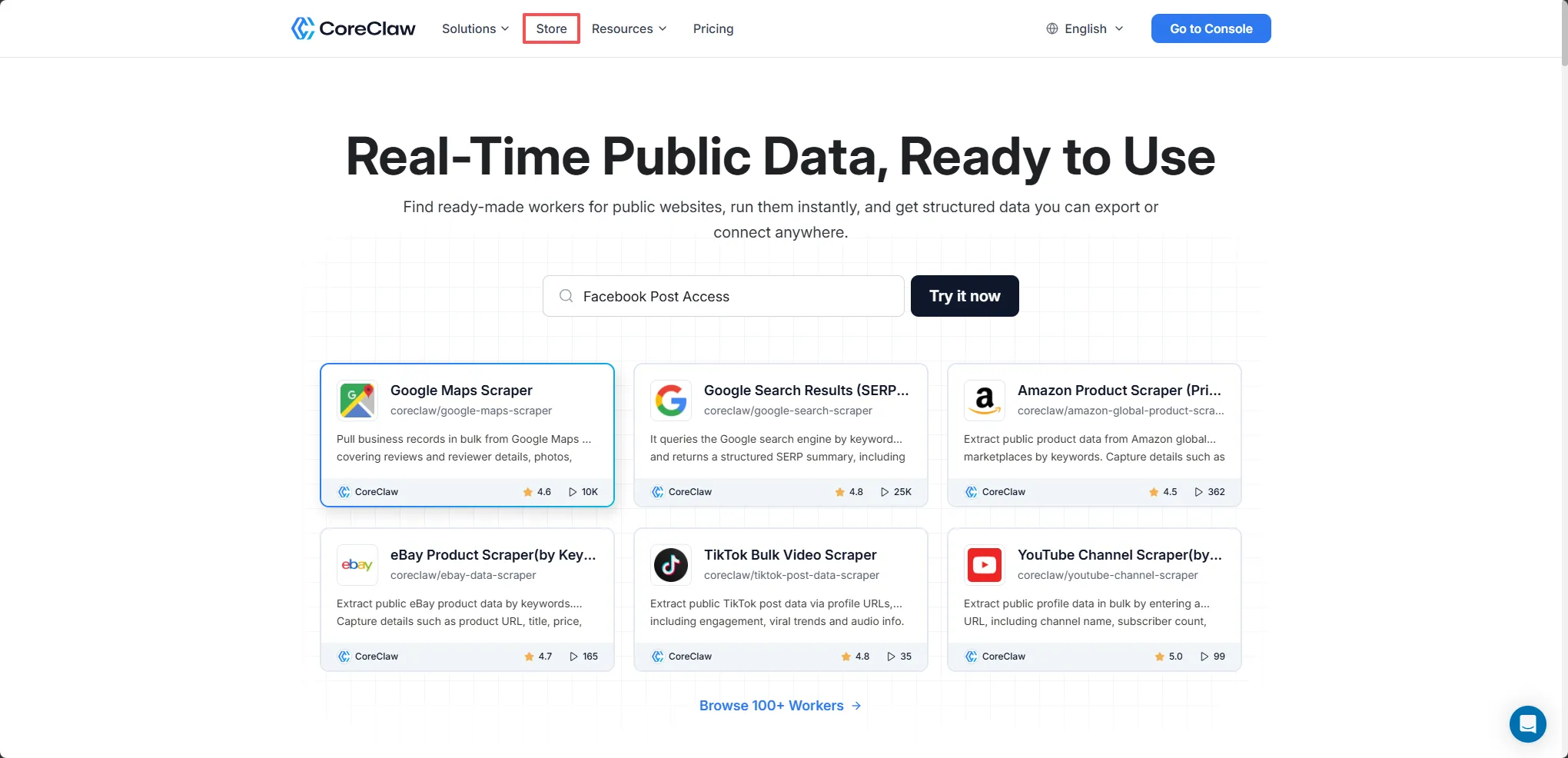
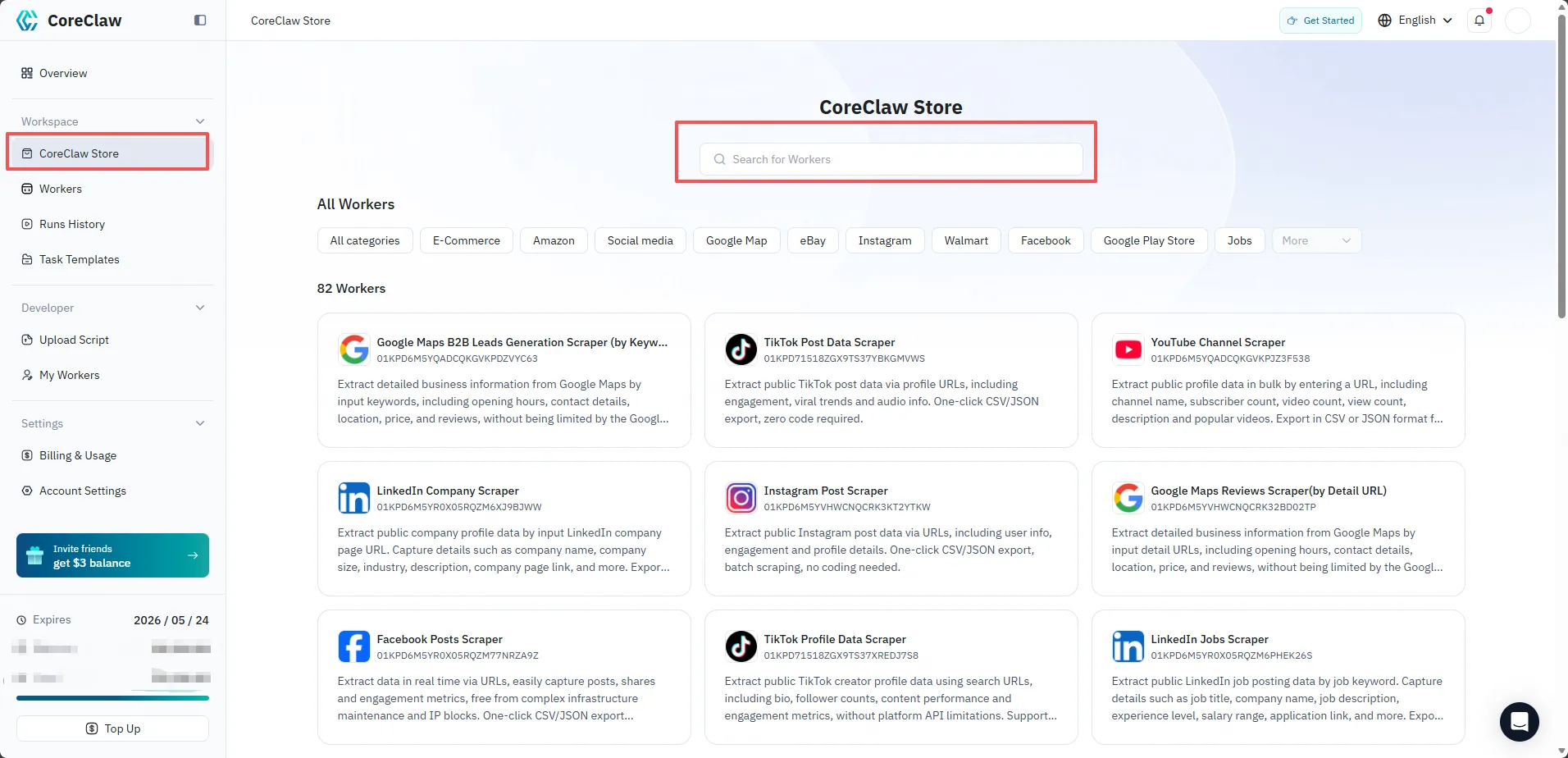
Section titled “1. Enter the Worker Store”After signing in, you can access the Worker Store from two entry points:
- From the CoreClaw Official Website, click Store in the navigation bar.
- From the CoreClaw Console, click Store in the sidebar.
2. Find a Worker
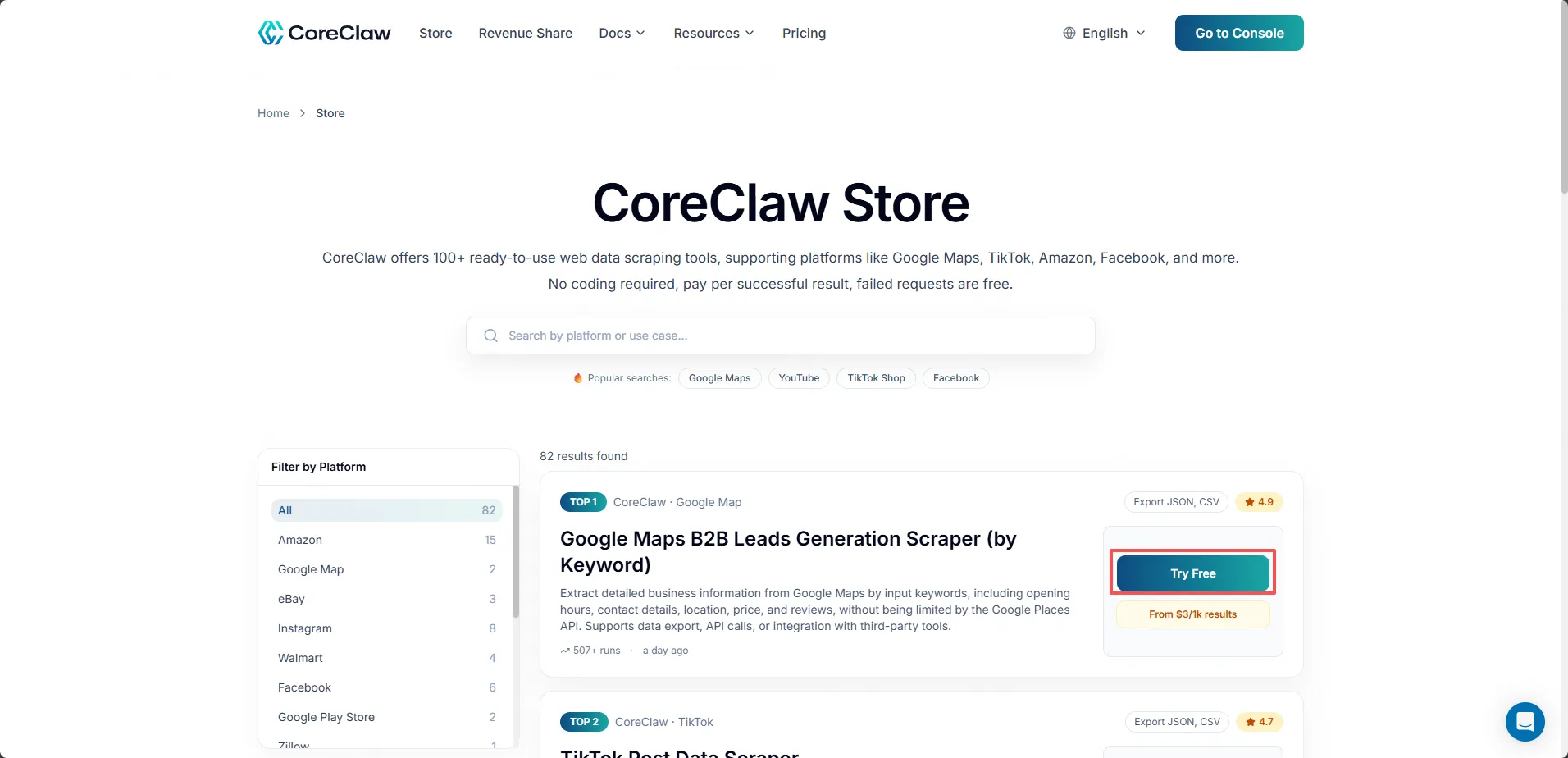
Section titled “2. Find a Worker”In the Worker Store, you can browse by category or use the search bar to find the script you need. Click on a Worker card to view its details.
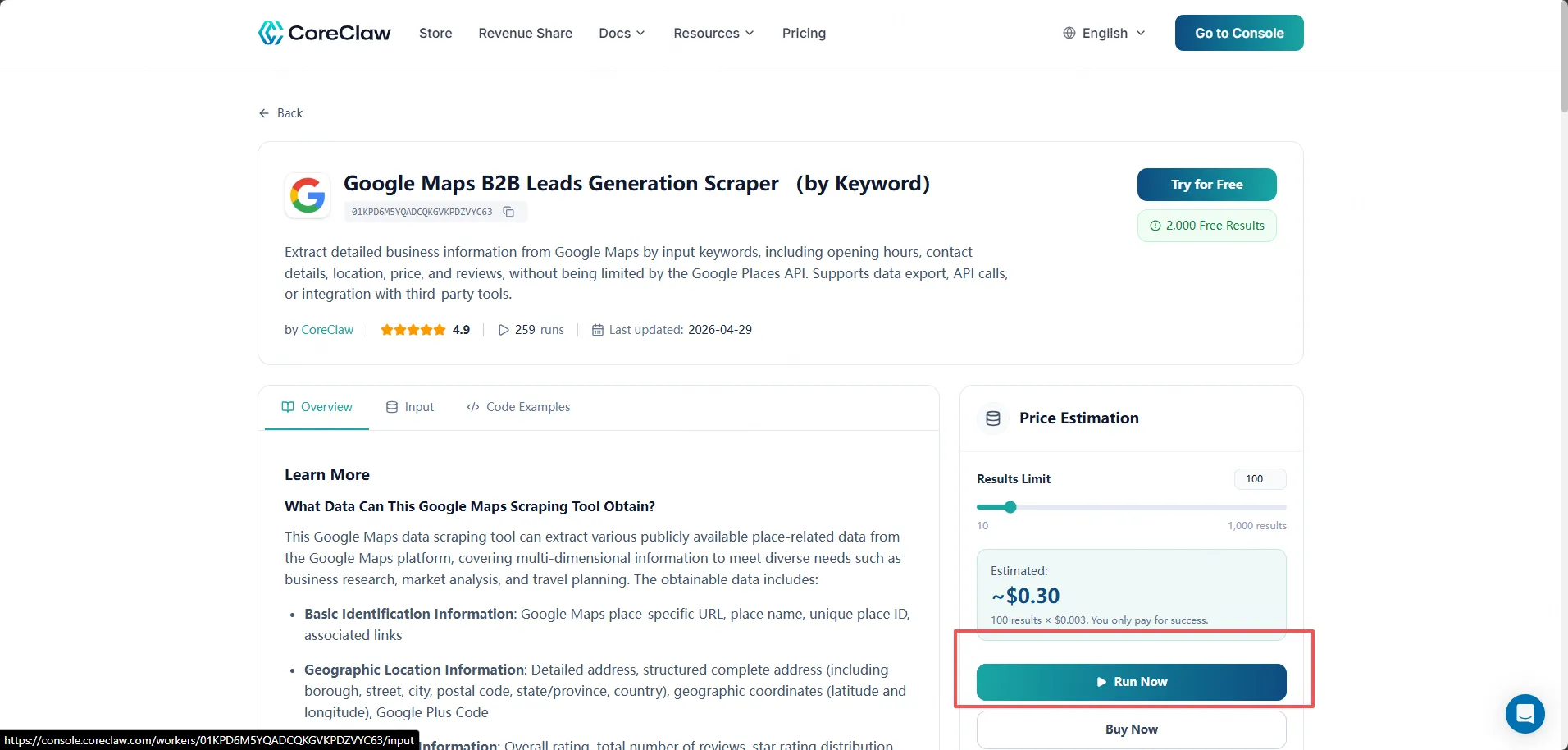
On the Worker detail page, you can review the description, input parameters, sample output, and pricing. Click Run to proceed.
3. Configure and Run
Section titled “3. Configure and Run”On the configuration page, you can set up the following:
Input Parameters
Fill in the parameters for the data you want to scrape, such as target URLs, search keywords, and other options defined by the script.
Run Options
- Proxy Node: Choose a proxy node in the region that best suits your target website. If not selected, the system will automatically assign a proxy node.
- Script Version: Select a specific version of the script to run, or use the latest version by default.
- Timeout: Set the maximum execution time for this run.
API Endpoint
In the top-right corner, you can find the API endpoint for this Worker, which allows you to integrate the script into your own applications and call it programmatically.
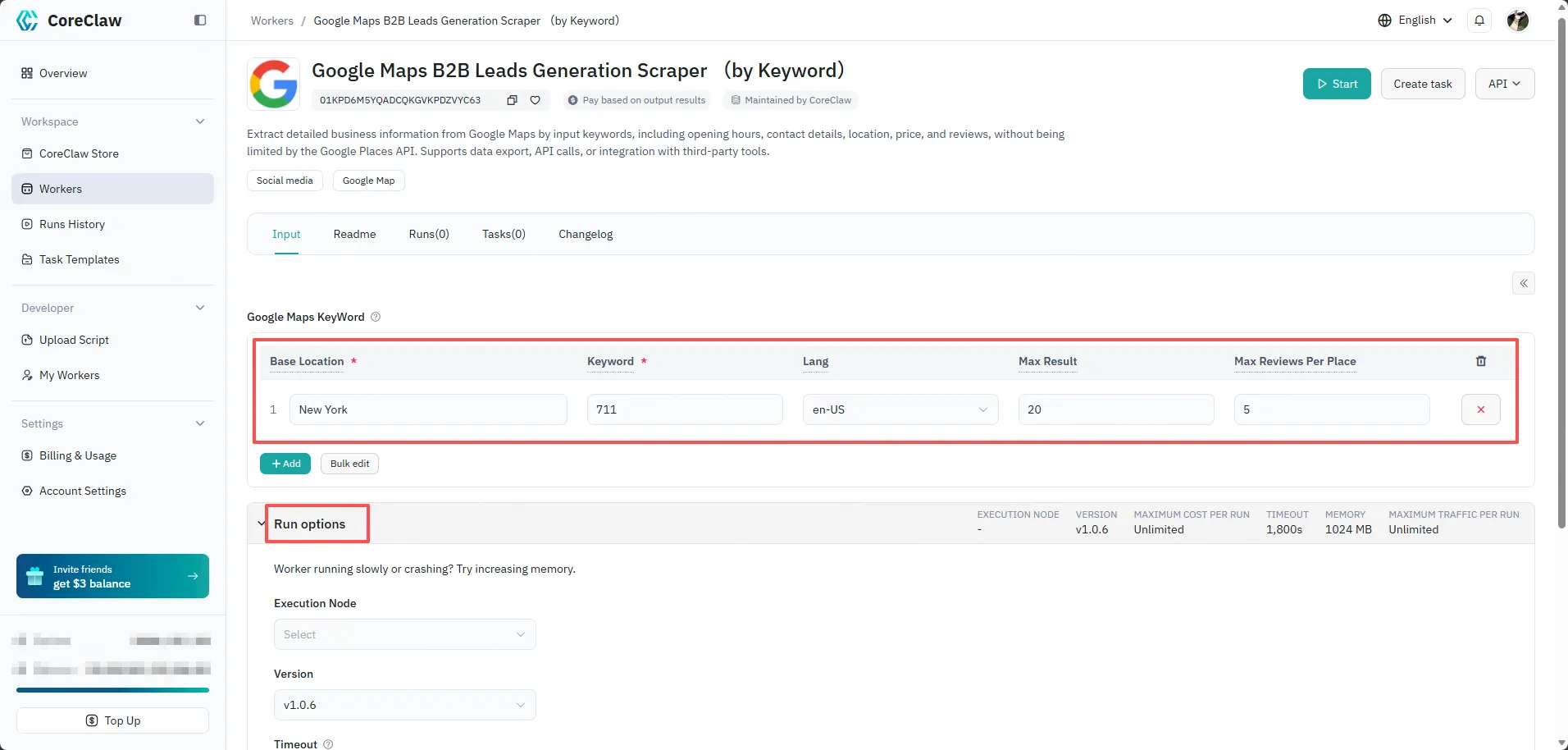
Once everything is configured, click Start to begin the run.
4. View Results and Export
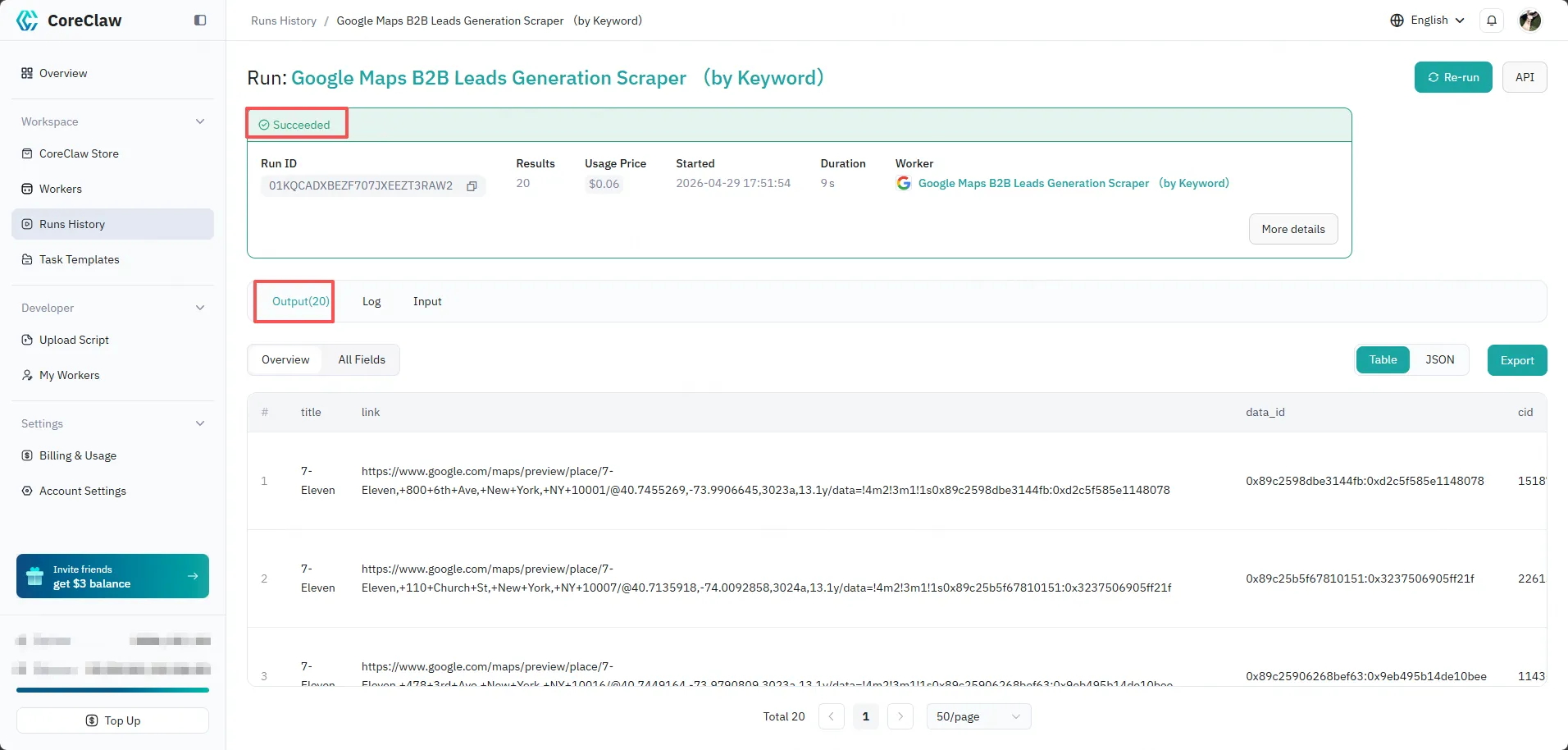
Section titled “4. View Results and Export”After the run completes, you can view:
- Run Status: Whether the run succeeded, failed, or is still in progress.
- Logs: Detailed execution logs for debugging and monitoring.
- Output Results: The extracted data displayed in a structured table with each field clearly labeled.
On the right side of the results page, you can export the data in eight formats:
- CSV — spreadsheets and data analysis
- JSON — developers and API integration
- JSONL — line-delimited, stream-friendly
- XLS / XLSX — Excel workbooks
- HTML — viewable in any browser
- XML — legacy and enterprise pipelines
- RSS — feed readers and monitor-style integrations
Next steps
Section titled “Next steps”- Input and output — understand parameters and result structure
- Worker Tasks — save a run as a reusable, scheduled task
- API Calls — trigger the same run programmatically