
Publish Your Worker
CoreClaw supports publishing both private scripts and public scripts. All script execution files must strictly follow platform specifications.
Upload Methods
Section titled “Upload Methods”You can upload scripts as a ZIP archive or import directly from GitHub. If you use GitHub import, you can also manage versions by branch, tag, or commit. For details, see Deployment.
Publishing a Private Script
Section titled “Publishing a Private Script”After the script is created, it can be executed immediately without review, but it can only run in the test environment.
- No review required
- Can be run immediately
- Only visible to you
Private scripts are ideal for:
- Testing and debugging your script
- Running scripts for personal use
- Iterating on your script before public release
Publishing to the Store
Section titled “Publishing to the Store”If you want your script to generate revenue, you can publish it publicly to the CoreClaw Store.
For detailed revenue rules, see Monetize Your Worker.
Submission Process
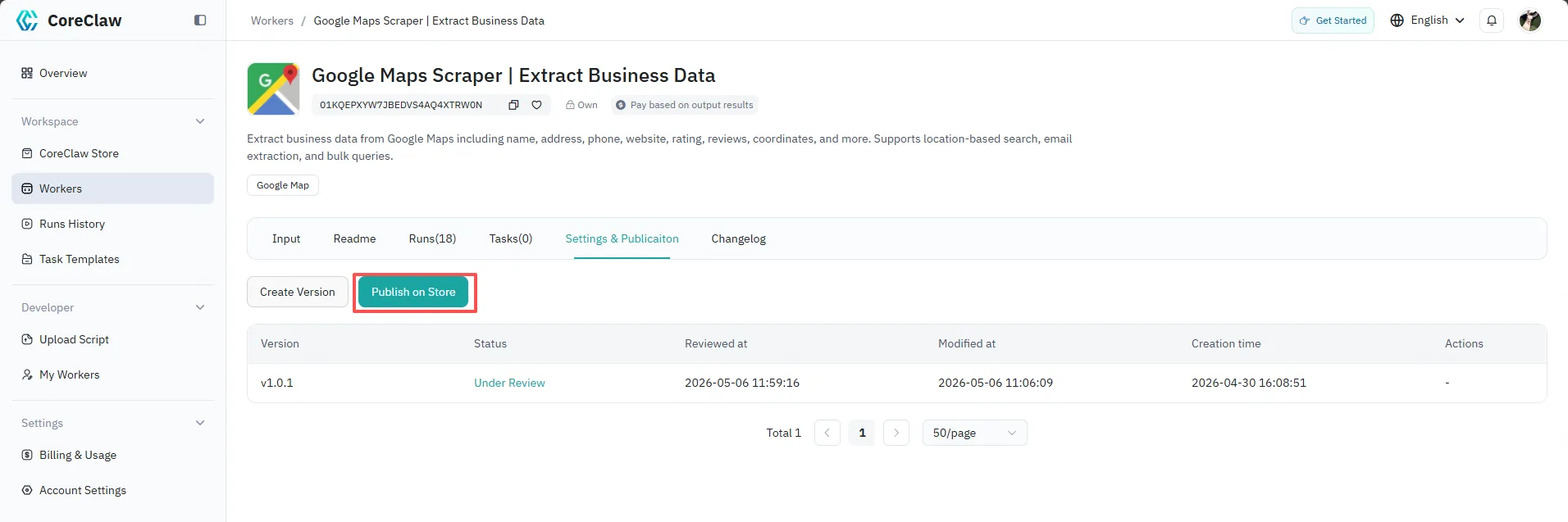
Section titled “Submission Process”- Select “Submit and Publish to Store”
- The script enters the review queue
- After approval, the script will be automatically listed in the Store
- It will appear in relevant categories and search results
Review Criteria
Section titled “Review Criteria”The platform reviews scripts for:
- Functionality — Does the script work as described?
- Code quality — Is the code clean and well-structured?
- Input schema — Are parameters clearly defined?
- Output format — Is the data structure correct?
- Description — Is the description accurate and helpful?
For the full pre-submission checklist and behaviors that cause rejection, see Worker Development & Submission Standards.
Configuration Tips
Section titled “Configuration Tips”- Clear descriptions — Ensure the
descriptionis clear and accurate. This significantly improves discoverability and user understanding. - Set sensible defaults — Reasonable default values allow users to run the script with a single click, greatly lowering the barrier to use.
- Focus on popular platforms — Scripts targeting popular platforms (such as e-commerce and social media) are more likely to gain attention and usage.
Updating a Published Script
Section titled “Updating a Published Script”To update a published script:
- Make changes to your code
- Upload a new version via ZIP archive or GitHub import
- Test the new version
- Publish the new version
Previous versions remain available until you remove them.