
Worker 输入配置 (Input Schema)
这份文档旨在指导开发者如何配置 input_schema.json 文件。这个文件决定了自动化Worker在网页界面上呈现给用户的输入表单样式。
🛠️ 脚本输入配置 (Input Schema) 使用手册
Section titled “🛠️ 脚本输入配置 (Input Schema) 使用手册”input_schema.json 是脚本的“面孔”。通过修改此文件,您可以控制用户在启动脚本前需要填写哪些参数(如 URL、关键词、日期等),以及这些输入框是以什么形式展示的(下拉框、勾选框、文本框等)。
一、 整体结构解析
Section titled “一、 整体结构解析”一个标准的配置文件由以下三部分组成:
- description (描述):向用户介绍这个脚本的功能和用法。
- b (并发关键字段):决定脚本如何拆分任务。
- properties (参数列表):具体的功能设置项。
核心代码示例
Section titled “核心代码示例”{ "description": "With our Instagram Reel information scraper tool, after a successful scrape, you can extract the Reel author's username, Reel caption, hashtags used in the post, number of comments on the Reel, Reel publish date, likes count, views count, play count, popular comments, unique post identifier, URL of the Reel's display image or video thumbnail, product type, Reel duration, video URL, post audio link, number of posts on the profile, number of followers on the profile, profile URL, whether the account is a paid partner, and other relevant information. Currently, the tool can scrape via Instagram username, URL, and other methods, and the scrape results can be downloaded in various structured formats.", "b": "startUrl", "properties": [ { "title": "URL", "name": "startUrl", "type": "array", "editor": "requestList", "description": "This parameter is used to specify the Instagram access URL to be fetched.", "default": [ { "url": "https://www.instagram.com/reel/C5Rdyj_q7YN/" }, { "url": "https://www.instagram.com/reel/C85BZjeSHuO" } ], "required": true } ]}输出示例:Input
Section titled “输出示例:Input”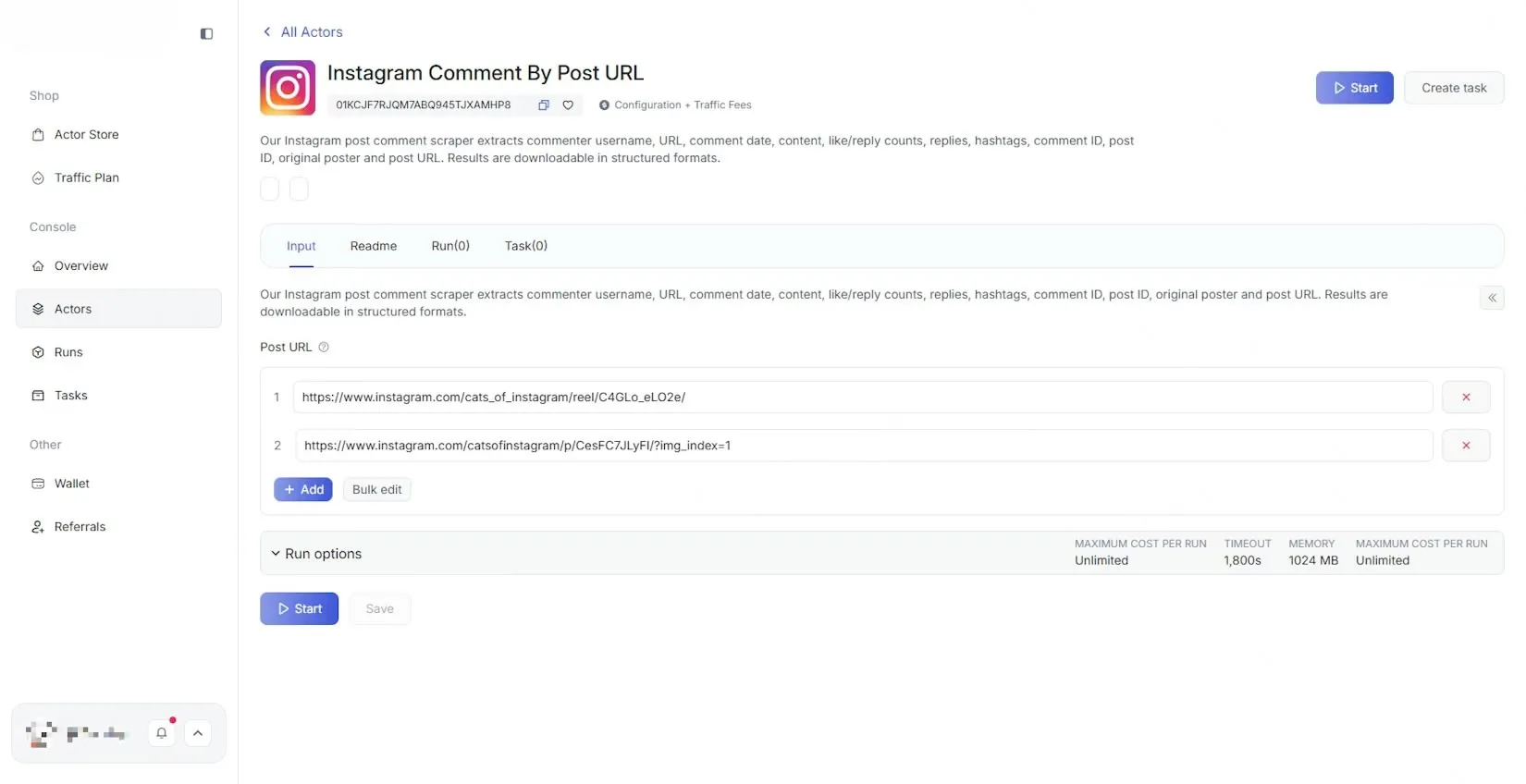
二、 关键根字段说明
Section titled “二、 关键根字段说明”| 字段名称 | 是否必填 | 功能说明 |
|---|---|---|
| description | 否 | 工具简介。会显示在页面顶端,支持填写脚本的作用、注意事项等,字数不限。 |
| b | 是 | 任务拆分键。必须填入 properties 中某个元素的 name。脚本会根据这个字段的值进行并发处理(例如按 URL 数量拆分任务)。 |
| properties | 是 | 参数配置数组。这里存放所有的输入项,每一个元素代表页面上的一个输入框或选择器。 |
三、 参数项属性详解 (Properties 内部)
Section titled “三、 参数项属性详解 (Properties 内部)”每一个具体的输入项都可以包含以下配置:
- title (标题): 页面上显示的标签名称(如:“搜索关键词”)。
- name (唯一标识): 程序的内部 ID,必须唯一。不可包含中文。
- type (数据类型):
- string: 文字
- integer: 数字
- boolean: 开关(是/否)
- array: 列表/多选
- object:对象
- editor (编辑器类型): 决定这个输入项在网页上以何种表单样式输出。(详见下表)
- description (详细描述): 输入框下方的补充提示文字,指导用户如何填写。
- default (默认值): 初始显示的文字或选项。
- required (是否必填): 设为 true 则用户不填无法启动脚本。
四、 编辑器类型 (Editor) 选型指南
Section titled “四、 编辑器类型 (Editor) 选型指南”您可以根据需要选择不同的 editor 来优化用户体验:
1. 基础文本与数字
Section titled “1. 基础文本与数字”| 类型值 | 呈现形式 | 适用场景 |
|---|---|---|
| input | 单行文本框 | 简短文字、关键词、账号名。 |
| textarea | 多行大文本框 | 备注、长段文字说明。 |
| number | 数字调节框 | 限制采集数量、页码、等待秒数。 |
2. 选择器
Section titled “2. 选择器”| 类型值 | 呈现形式 | 示例 |
|---|---|---|
| select | 下拉菜单 | 选性别、选语言、选地区。 |
| radio | 单选框 | 二选一、三选一的排列按钮。 |
| checkbox | 多选框 | 勾选多个感兴趣的标签。 |
| switch | 开关 | 是否开启 |
3. 时间与特殊列表
Section titled “3. 时间与特殊列表”| 类型值 | 呈现形式 | 适用场景 |
|---|---|---|
| datepicker | 日期选择器 | 筛选特定发布日期。 |
| requestList | URL 地址列表 | 批量输入需要采集的网页链接(支持 Excel 导入样式)。 |
| requestListSource | URL请求列表源 | 可自定义配置其他参数。 |
| stringList | 字符串列表 | 批量输入多个关键词。 |
五、 常用组件代码示例
Section titled “五、 常用组件代码示例”1. 单行文本框 (input)
Section titled “1. 单行文本框 (input)”{ "title": "📍 Location (use only one location per run)", "name": "location", "type": "string", "editor": "input", "default": "New York, USA"}
2. 多行大文本框 (textarea)
Section titled “2. 多行大文本框 (textarea)”{ "title": "Filter reviews by keywords", "name": "keywords", "type": "string", "editor": "textarea"}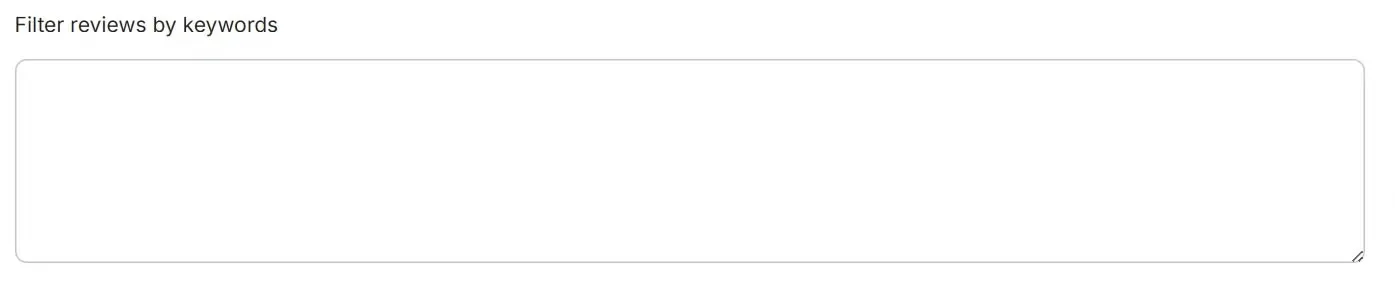
3. 数字调节框 (number)
Section titled “3. 数字调节框 (number)”{ "title": "Number of places to extract (per each search term or URL)", "name": "maxPlacesPerSearch", "type": "integer", "editor": "number", "default": 4}
4. 下拉菜单 (select)
Section titled “4. 下拉菜单 (select)”{ "title": "🌍 Language", "name": "language", "type": "string", "editor": "select", "options": [ { "label": "English", "value": "en" }, { "label": "Afrikaans", "value": "af" }, { "label": "azərbaycan", "value": "az" } ], "default": "en"}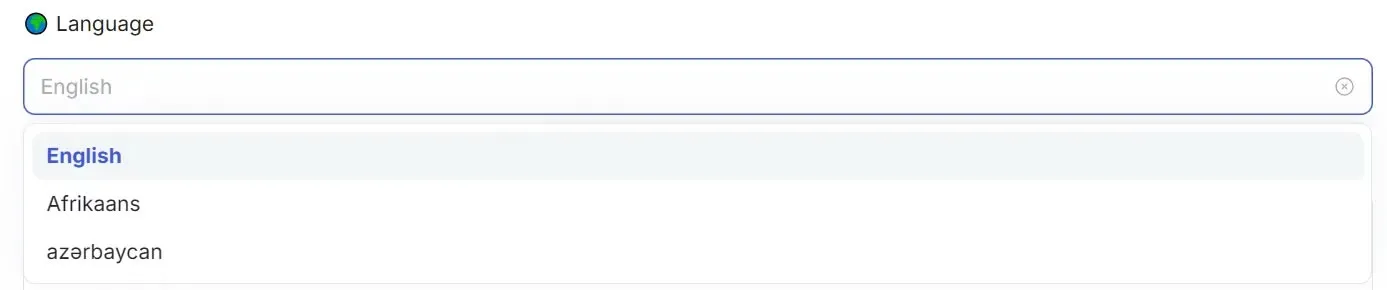
5. 单选框 (radio)
Section titled “5. 单选框 (radio)”{ "title": "🏢 Category", "name": "radio", "type": "integer", "editor": "radioGroup", "options": [ { "label": "hotel", "value": 1 }, { "label": "restaurant", "value": 2 } ], "default": 1}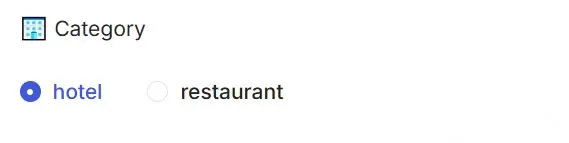
6. 多选框 (checkbox)
Section titled “6. 多选框 (checkbox)”{ "title": "Data Sections to Scrape", "name": "data_sections", "type": "array", "editor": "checkboxGroup", "options": [ { "label": "Reviews", "value": "reviews" }, { "label": "Address", "value": "address" }, { "label": "Phone Number", "value": "phone_number" } ], "default": ["reviews", "address"]}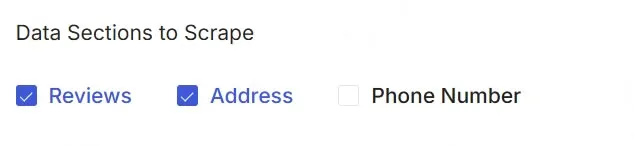
7. 日期选择器 (datepicker)
Section titled “7. 日期选择器 (datepicker)”{ "title": "📅 Extract posts that are newer than", "name": "date", "type": "string", "editor": "datepicker", "format": "DD/MM/YYYY", // 控制输入框中显示的文本格式(可选) "valueFormat": "DD/MM/YYYY" // 控制绑定值的格式(可选)}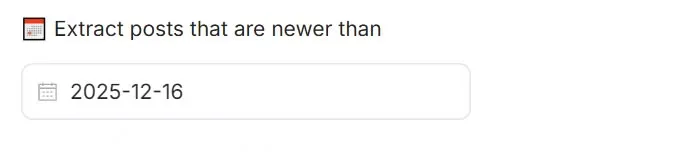
// editor:"datepicker"// dateType: 'absoluteOrRelative'{ "title": "📅 Extract posts that are newer than", "name": "date", "type": "string", "editor": "datepicker", "dateType": "absoluteOrRelative"}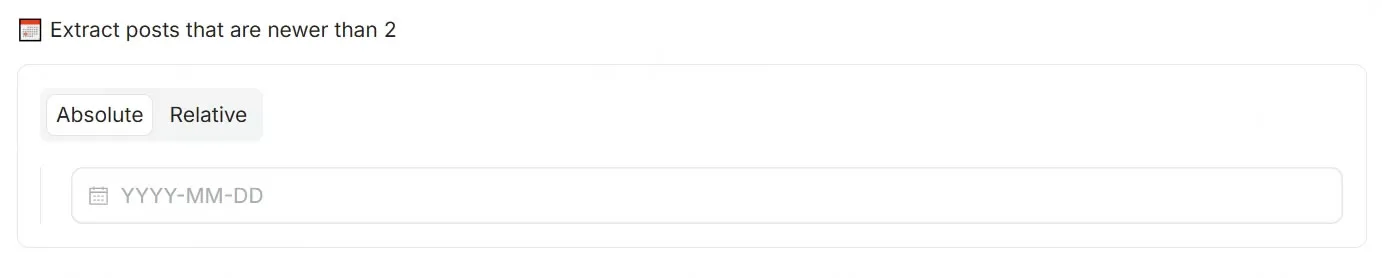
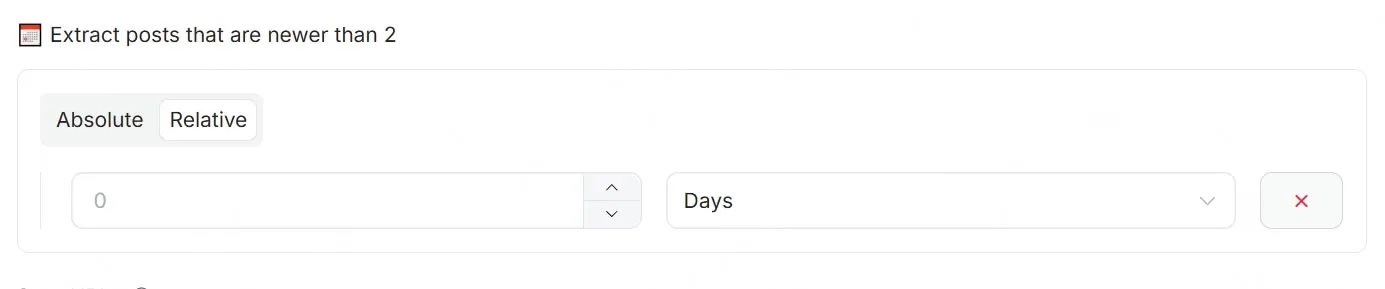
8. 开关 (switch)
Section titled “8. 开关 (switch)”{ "title": "⏩ Skip closed places", "name": "skipClosed", "type": "boolean", "editor": "checkbox"}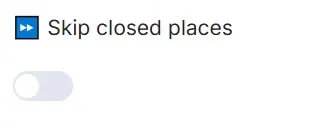
9. URL 地址列表 (requestList)
Section titled “9. URL 地址列表 (requestList)”{ "name": "startURLs", "type": "array", "title": "Start URLs", "editor": "requestList", "default": [ { "url": "https://www.google.com/search?sca_esv=593729410&q=Software+Engineer+jobs&uds=AMIYvT8-5jbJIP1-CbwNj1OVjAm_ezkS5e9c6xL1Cc4ifVo4bFIMuuQemtnb3giV7cKava9luZMDXVTS5p4powtoyb0ACtDGDu9unNkXZkFxC0i7ZSwrZd_aHgim6pFgOWgs0dte0pnb&sa=X&ictx=0&biw=1621&bih=648&dpr=2&ibp=htl;jobs&ved=2ahUKEwjt-4-Y6KyDAxUog4kEHSJ8DjQQudcGKAF6BAgRECo" }, { "url": "https://www.google.com.hk/search?q=software+engineer+salary&newwindow=1&sca_esv=593729410&biw=1588&bih=1273&ei=vEtOadCxI-3AkPIP952z0Qc&oq=Software+Engineer&gs_lp=Egxnd3Mtd2l6LXNlcnAiEVNvZnR3YXJlIEVuZ2luZWVyKgIIAjIKEAAYgAQYQxiKBTIFEAAYgAQyBRAAGIAEMgUQABiABDIFEAAYgAQyBRAAGIAEMgUQABiABDIFEAAYgAQyBRAAGIAEMgUQABiABEj2yQFQ0TFYlbEBcAR4AZABBJgBkwOgAbUXqgEHMi0zLjQuMrgBA8gBAPgBAZgCBqACiAWoAgPCAgoQABiwAxjWBBhHwgIgEAAYgAQYtAIY1AMY5QIY5wYYtwMYigUY6gIYigPYAQGYAwTxBcFiu8bFvIEOiAYBkAYKugYECAEYB5IHCTQuMC4xLjAuMaAHvy6yBwcyLTEuMC4xuAf1BMIHAzItNsgHGIAIAA&sclient=gws-wiz-serp" } ], "required": true, "description": "The URLs of the website to scrape"}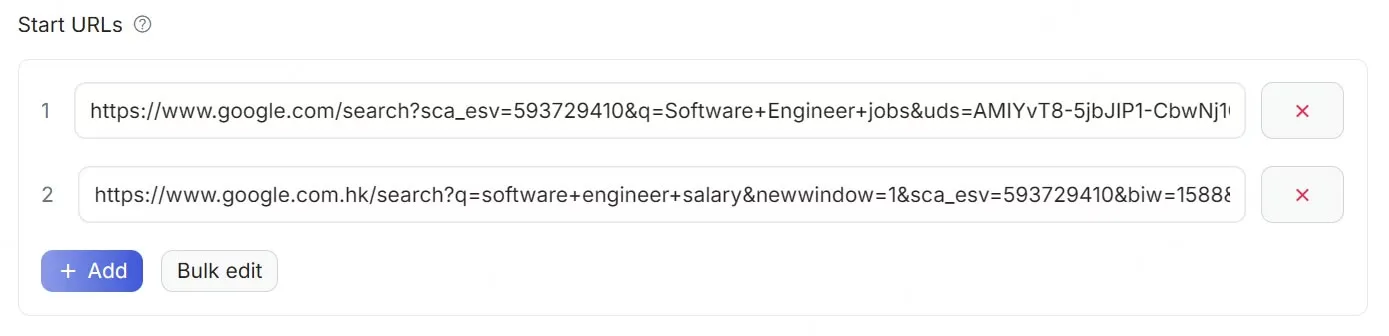
10. URL请求列表源 (requestListSource)
Section titled “10. URL请求列表源 (requestListSource)”{ "title": "startURLs", "name": "url", "type": "array", "editor": "requestListSource", "default": [ { "url": "https://www.instagram.com/espn", "end_date": "", "start_date": "", "num_of_posts": "10", "posts_to_not_include": "" } ], "param_list": [ { "param": "url", "title": "URL", "editor": "input", "type": "string", "required": true, "description": "This parameter is used to specify the Instagram access URL to be fetched." }, { "param": "num_of_posts", "title": "Maximum Number of Reels", "type": "integer", "editor": "number", "description": "This parameter is used to specify the maximum number of Reels to fetch." }, { "param": "start_date", "title": "Start Date", "type": "string", "editor": "datepicker", "format": "MM-DD-YYYY", "valueFormat": "MM-DD-YYYY", "description": "This parameter is used to specify the start time of the post, format: mm-dd-yyyy, and should be earlier than the \"end_date\"." }, { "param": "end_date", "title": "End Date", "type": "string", "editor": "datepicker", "format": "MM-DD-YYYY", "valueFormat": "MM-DD-YYYY", "description": "This parameter is used to specify the end time of the post, format: mm-dd-yyyy, and should be later than the \"start_date\"." } ], "description": "The URLs of the website to scrape"}
11. 字符串列表 (stringList)
Section titled “11. 字符串列表 (stringList)”{ "title": "🔍 Search term(s)", "name": "searchTerms", "type": "array", "editor": "stringList", "default": [ { "string": "restaurant" }, { "string": "school" } ]}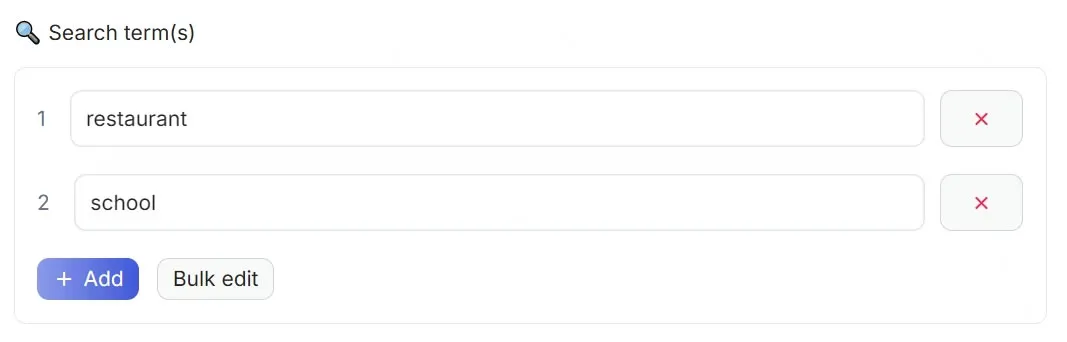
📚 分组配置
Section titled “📚 分组配置”允许开发者通过特定的字段标,将多个配置项进行逻辑归类。当配置项数量较多时,通过分组可以有效提升界面的可读性与可维护性,帮助用户更清晰地定位和理解配置内容。
| 参数 | 示例值 | 参数类型 | 是否必填 | 参数描述 |
|---|---|---|---|---|
| sectionCaption | - | String | 否 | 用于定义个分组的显示标题。当配置项中包含此属性时,视为新分组的开始。 |
| sectionDescription | - | String | 否 | 用于对当前分组进行补充说明,提供更详细的上下文信息。 |
{ "description": "🔍 Find usernames across 400+ social networks. Check if a username is available or already taken on various platforms.", "b": "username", "properties": [ { "title": "Username", "name": "username", "type": "array", "editor": "stringList", "description": "Username(s) to search. One per line.", "default": [ { "string": "john_doe" } ], "required": true }, { "title": "Timeout (secs)", "name": "timeout", "type": "integer", "editor": "number", "description": "Request timeout in seconds per site.", "default": 30, "sectionCaption": "🧩 Request control and result settings", "sectionDescription": "Configure the performance parameters of the crawler requests (such as timeout and concurrency), and control the filtering rules and output range of search results." }, { "title": "Concurrency", "name": "maxConcurrency", "type": "integer", "editor": "number", "description": "Maximum concurrent requests.", "default": 20 }, { "title": "Include NSFW", "name": "includeNsfw", "type": "boolean", "editor": "switch", "description": "Include adult content sites in search.", "default": false }, { "title": "Show All Results", "name": "printAll", "type": "boolean", "editor": "switch", "description": "Show all results including not found.", "default": false }, { "title": "Specific Sites", "name": "sites", "type": "array", "editor": "requestList", "description": "Only check these sites (empty = all sites).", "default": [], "sectionCaption": "🔗 Target site restrictions?", "sectionDescription": "Configure the specific list of websites to be checked. If the list is empty, all available sites will be checked by default." } ]}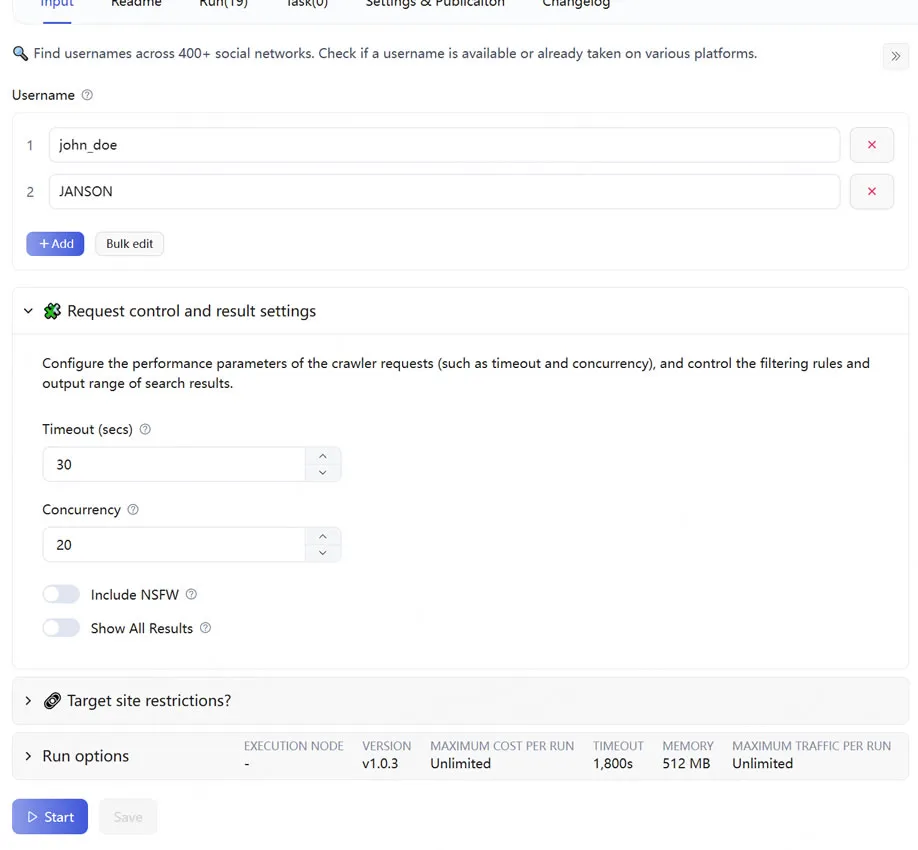
💡 配置小技巧
Section titled “💡 配置小技巧”- 清晰的提示:description务必清晰准确,这将有利于您的脚本被更多目标用户检索到。
- 设置默认值:合理的 default 可以让用户直接点击运行,极大地降低使用门槛。
- 校验必填:对于没有它脚本就无法运行的参数(如登录 Cookie、主链接),一定要设置 “required”: true。